
By Bhavya Web Technologies
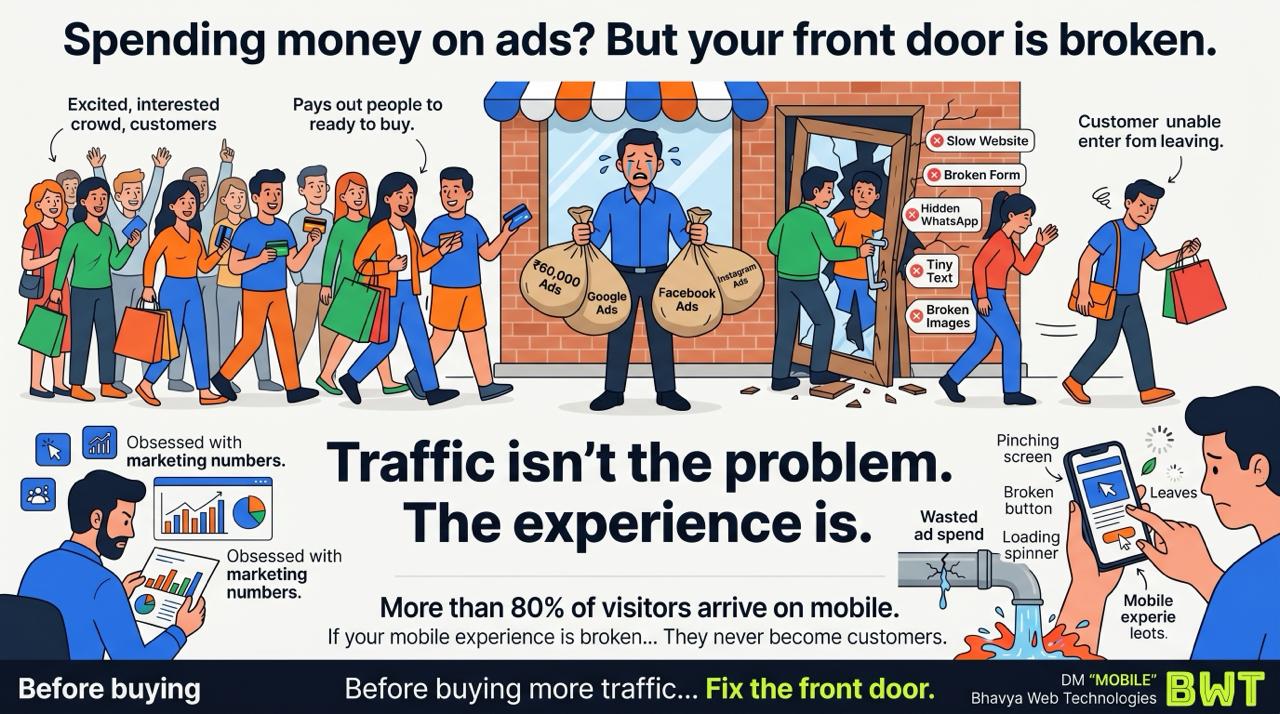
A business owner spends ₹60,000 every month on digital marketing.
Google Ads.
Facebook Ads.
Instagram campaigns.
Traffic is coming in.
Clicks are increasing.
But enquiries remain disappointing.
The first instinct is often to blame the ads:
“Maybe we need a bigger budget.”
But after taking a closer look, the real issue turns out to be something far simpler.
The website itself is making it difficult for customers to take action.
Imagine This in the Real World
Picture a busy retail store.
You invest heavily in advertising.
Customers arrive excited to buy.
But when they reach the entrance:
- the door is jammed
- the signs are confusing
- the lights don’t work
- the cashier is missing
Most people won’t wait around.
They’ll leave and visit another store.
That’s exactly what happens when you send paid traffic to a poor website experience.
Traffic Isn’t the Problem. The Experience Is.
Digital marketing has one purpose:
Bring visitors to your website.
Your website has another:
Turn those visitors into enquiries and customers.
If the experience is frustrating, every click becomes more expensive.
You’re not paying for leads.
You’re paying for people to leave.
The Mobile Reality
For many businesses today, the majority of website traffic comes from smartphones.
Whether visitors arrive through:
-
- Google Search
- Google Ads
- email campaigns
there’s a good chance they’re using a mobile device.
If your website performs poorly on mobile, you’re creating friction for most of your audience.
Common Mobile Problems That Kill Conversions
1. Slow Loading Speed
People expect websites to load quickly.
If pages take several seconds to appear, many visitors leave before reading a single line.
A slow website wastes advertising spend because users abandon the experience before engaging.
2. Hidden Contact Options
Some websites bury their phone number or WhatsApp button at the bottom of the page.
Visitors shouldn’t have to search for ways to contact you.
Place important actions where they’re immediately visible.
3. Broken Forms
Nothing is more frustrating than completing an enquiry form only to discover it doesn’t work.
Test every form regularly.
Make sure submissions are delivered correctly and confirmation messages appear.
4. Tiny Text and Difficult Navigation
If users have to zoom in just to read your content, they’re unlikely to stay.
Good mobile design uses:
- readable fonts
- large touch targets
- clear spacing
- simple navigation
Comfort improves conversions.
5. Broken Images or Layout Issues
Missing images, overlapping elements, or buttons that don’t function reduce credibility instantly.
Visitors often interpret technical problems as signs of an unreliable business.
Stop Looking Only at Marketing Reports
Many business owners monitor:
- impressions
- clicks
- cost per click
- reach
- ad spend
- conversions
But rarely ask a more practical question:
“Have I actually used my own website on my phone recently?”
Analytics tell you where people came from.
Testing your website tells you why they may be leaving.
A Simple Mobile Test You Can Do Today
Take out your phone and visit your homepage as if you’re a first-time customer.
Ask yourself:
- Does the page load quickly?
- Can I immediately understand what the business offers?
- Is the text easy to read?
- Can I find the WhatsApp or contact button without scrolling?
- Can I submit an enquiry in under a minute?
If any step feels frustrating, your visitors are likely experiencing the same problem.
The Cost of Ignoring User Experience
Imagine paying ₹100 for every visitor through advertising.
If half of those visitors leave because your site loads slowly or the contact form doesn’t work, you’ve effectively doubled your customer acquisition cost.
Improving the website often delivers a better return than increasing ad spend.
That’s why conversion optimization should come before scaling traffic.
Five Quick Improvements That Often Increase Leads
1. Speed Up Your Website
Compress images, remove unnecessary scripts, and optimize hosting.
2. Make Contact Easy
Keep your phone number, enquiry button, and WhatsApp option visible.
3. Simplify Forms
Ask only for essential information.
Shorter forms usually reduce friction.
4. Improve Mobile Readability
Use larger fonts, clear headings, and enough spacing for easy navigation.
5. Add Trust Signals
Include testimonials, real project photos, client logos (with permission), and business details to reassure visitors.
Fix the Front Door Before Buying More Traffic
It’s tempting to think more advertising will solve lead generation problems.
But if visitors encounter a frustrating experience after clicking your ad, extra traffic simply magnifies the issue.
Before increasing your budget, make sure your website is ready to convert the visitors you’re already attracting.
Final Thought
A successful marketing campaign doesn’t end when someone clicks your ad.
It ends when they become a customer.
That’s why the quality of your website experience matters just as much as the quality of your advertising.
If your mobile site is slow, confusing, or difficult to use, you’re not just losing visitors.
You’re losing opportunities you’ve already paid for.
So before spending another rupee on ads, spend a few minutes using your own website on your phone.
You may discover that the biggest obstacle to growth isn’t your marketing.
It’s your digital front door.
Bhavya Web Technologies
Kukatpally, Hyderabad